| Сегодня 25 марта, среда |
      |
  
|

  
Какой рейтинг вас больше интересует?
|
Главная /
Каталог блоговCтраница блогера TUTSOFT - INFO BLOG/Записи в блоге |



 |
TUTSOFT - INFO BLOG
Голосов: 1 Адрес блога: http://tutsoft-info.blogspot.com/ Добавлен: 2012-04-05 23:56:43 блограйдером samopir |
CSV Editor Pro
2014-04-09 15:30:00 (читать в оригинале)
CSV Editor Pro
CSV Editor Pro - Excellent CSV editing tool with Text Encoder Detech Automatically and Export as Microsoft Excel Format with More Function Support for Spreadsheet !
CSV Editor is for those who want to edit, split , reorder, print CSV and export as Microsoft Excel format. You can open any CSV by Comma Separated Value and TSV by tab in any supported encoding. Edit text, find and replace, cut, copy, paste, add, remove, move and reorder row or column very easily.


KEY FEATURES:
Automatically detect encoding type. Don’t worry about it, even you can not know encoding type, CSV Editor can detect it correctly and help finish it.
Support almost language encoding.
+Encoding detects
- ASCII, Unicode, UTF-8, UTF-16 (2 variants), UTF-32 (4 variants)
- Big5, GB2312, EUC-TW, HZ-GB-2312, ISO-2022-CN (Traditional and Simplified Chinese)
- EUC-JP, SHIFT_JIS, ISO-2022-JP (Japanese)
- EUC-KR, ISO-2022-KR (Korean)
- KOI8-R, MacCyrillic, IBM855, IBM866, ISO-8859-5, windows-1251 (Cyrillic)
- ISO-8859-2, windows-1250 (Hungarian)
- ISO-8859-5, windows-1251 (Bulgarian)
- windows-1252 (English)
- ISO-8859-7, windows-1253 (Greek)
- ISO-8859-8, windows-1255 (Visual and Logical Hebrew)
- TIS-620 (Thai)
Easily cut, copy, paste row & column by press normal shortcut.
Easily find and replace text.
Easily add, remove and move row & column.
Support document print and view page resize.
What's New in Version 2.1.3
- Fixes one minor issue for ISO-8859-2 encoding
- Fixes line ending issue for some CSV
- Adds CSV separated symbol option
- Dynamically reduce memory usage
- Optimized CSV read performance
- Other fixes and improvements
Maestro Composer
2014-04-09 15:25:00 (читать в оригинале)
Maestro Composer
Maestro Composer can turn your musical ideas into clean, playable, and easy to read music notation files while using one of the most powerful and customizable music scoring systems on the market today. Maestro Composer lets you create clean, engraver quality prints of your music with a minimum of effort and time. You also get all of the features found in our Maestro Notation program, plus the ability to have total musical control over every single note in the entire composition. Using Maestro Composer?s built in editors you can fine tune every aspect of how the music is notated and played right down to the note velocity, attack, and decay of each individual note or by dragging and dropping dozens of dynamic markings and articulations directly into the music. When your composition is complete you can play back the entire score or save it as a high quality WAV or compressed MP3 using realistic sf2 sound fonts.

Box Shot Maker
2014-04-07 11:21:00 (читать в оригинале)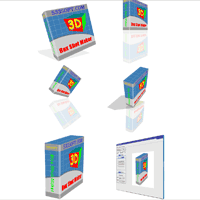
Box Shot Maker
Box Shot Maker is a 3D packaging design tool. You can easily add your own text and graphic to create the perfect 3D box for you product. With Box Shot Maker you can create: 2-side, 3-side Box Shot, Book, Cover, 3D screen-shot.You can change camera position at any angle, rotate the image around any 3D axis, add special effects such as shadow, reflection, floor texture and more. All of these can be done in real time, in full 3D environment!
With Box Shot Maer, you can turn your box image into a genuine sales tool. Box Shot Maker creates true 3D output and can make big images as well as tiny thumbnails.


Program Icon Changer
2014-04-07 11:15:00 (читать в оригинале)
Program Icon Changer
The tool can replace the icon in the executable file. Even if you move the file to another computer, the changed icon will be displayed anyway ! The soft supports all PE formate executable files, even the executable files are compressed or the size of the icon is inconsistent! It can also change the icon of other executable file types such as Dll, Ocx, Scr and so on. The icon of folder and driver can be changed by Executable File Icons Changer too. If you want to extract and save the icons in exe file, Exe Icon Changer will be your first choice. It can save the icon as two formats: bmp and ico.


Print2CAD 2015 5th Generation
2014-04-07 11:10:00 (читать в оригинале)
Print2CAD 2015 5th Generation
Print2CAD 2015 5th Generation quickly and precisely converts a raster or vector-based PDF to DWG or DXF with full OCR capability to create fully editable, AutoCAD and other CAD system ready files. Print2CAD 2015 5th Generation also converts DWG/DXF into PDF, TIFF/JPEG into DWG/DXF, DWF into DWG/DXF and HPGL into DWG/DXF. Works with 64 bit and 32 bit Windows Versions. Activation via Internet, Email or Telephone. Print2CAD 5th Generation is certifed by Autodesk so you can be certain that your DWG/DXF files will be AutoCAD compliant.
Print2CAD Software is a stand alone Windows (32 and 64 bit) program that works independently with all CAD systems (and all AutoCAD® versions including AutoCAD® 2015).
Software Features
- Print2CAD Features Autodesk® RealDWG™ Technology
- DWG and DXF output with 100% Autodesk® Compatibility
- Print2CAD Features OCR (Optical Character Recognition) Technology
- Print2CAD Features English and German as Native Languages
- Print2CAD Features Metric and Standard Units
- Contains DWG and DXF Structure Viewer DeepView 2014
- Contains PDF/ DWF/ TIFF/ JPEG Viewer PVGview LT
- Five-click Assistant for Easy Conversion
- OCR Recognition of PDF Text
- OCR Recognition of TIFF and JPEG Text
- OCR Recognition of DWG Text
- OCR Recognition of HPGL Text
- Coordinate Calibration with Free Calibration Points
- Line Type Recognition
- Vectorization of PDF raster images black / white or color
- Vectorization of TIFF, JPEG raster images black / white or color
- 28 Training Video Clips
- Multimedia Reference Manual
- Text Height Normalization
- Vectorization Expert Settings
- PDF to DWG or DXF Conversion (for all CAD systems)
- PDF to JPEG Conversion
- PDF to TIFF Conversion (LZW, G4, G3)
- PDF to JPEG, TIFF, GIF, PNG Conversion
- TIFF to DWG/DXF Conversion (for all CAD systems)
- JPEG to DWG/DXF Conversion (for all CAD systems)
Print2CAD converts PDF files into a DWG or DXF file, which can then be imported into any CAD system for editing. Print2CAD is an autonomous and CAD system-independent program. Print2CAD also converts DWG/DXF into PDF, TIFF/JPEG into DWG, DWF into DWG/DXF and HPGL into DWG/DXF.
Print2CAD not only uses conversion and vectorization methods, but also uses OCR (Optical Character Recognition) to reconstruct the content of a PDF or raster file. The program can also recognize the PDF text that has been deconstructed into polyline fields, and/or pixel pictures as full and editable CAD text.
Print2CAD recognizes the dashed or chain dotted line types, and will connect them to form a proper CAD line and/or polyline with a line type. The lines may have any angle of inclination.
Print2CAD can precisely adjust, de-skew, and turn the converted drawing with the help of any number of arbitrary calibration points.
- DWF to DWG/DXF Conversion (for all CAD systems)
- DWG to PDF conversion
- DXF to PDF conversion
- HPGL and HPGL-2 to DWG or DXF conversion (for all CAD systems)
- Command Line and Batch Support (only Enterprise Edition)
- Conversion into DWG and DXF compatible version 12, 14, 2000, 2002, 2004,
2005, 2006, 2007, 2008, 2009, 2010, 2011, 2012, 2013, 2014, 2015
- Support of PDF Text
- Support of PDF Layers
- Extraction of PDF Pixel Images as JPEG or TIFF Files (optional)
- Recognition of Circles and Arcs
- Rotation and Scaling of DWG and DXF Coordinates
- Purge and Merge Polylines
- Reconstruction of DWG and DXF Layer Structure according to PDF color, line
width, or type of element
- DWG and DXF RGB Color conversion
- Start with thousands of PDF, HPGL, TIFF, JPEG, DWF Files in One Run
- High precision of DWG or DXF Coordinates
- Optimization of Polylines
- Convert all PDF Pages into Separate DWG or DXF
- Assign PDF Line Weight to DWG or DXF Entities
- Extract embedded raster images from PDF as BMP, JPEG, PNG or GIF
- Convert embedded raster images from PDF as Solids or Lines
- Supports PDF Mirrored Raster Pictures
- Supports TIFF and JPEG Vectorization
One can be certain that a 3 foot thick wall will remain 3 feet thick after the conversion and will not be 2.9 feet thick. Likewise, a horizontal line will stay horizontal after the conversion.
Print2CAD converts files into DWG version 14, 2000 - 2015 or DXF version 12, 2000-2015. All vectors, lines, circles, arcs, surfaces, splines, text, and pixel images are transferred into DWG or DXF. The pixel images can be converted into vectors, embedded or stored in separate files. Special functions generate circles and arcs. PDF layer structure is supported, or if not available, this can be created on the basis of color or line widths. PDF characters are put together to create a new text. PDF properties such as line widths and line types are also converted into CAD properties. Print2CAD converts PDF colors into CAD index of colors or full RGB colors. Print2CAD also supports TTF fonts. With multi-page PDF documents, one can specify which pages to convert.
Handling of Text
In PDF or DWF files, text is usually defined as separate characters or groups of characters with their own insertion points. With the help of special internal methods, Print2CAD merges characters into strings and places these strings as texts in the DWG or DXF drawing.
If the PDF, HPGL, DWF or TIFF /JPEG file contains text which are exploded into lines, polylines, hatches or raster pictures one can use internal OCR (Optical Character Recognition) methods to convert these types of "text" into real and native text.
If the PDF, HPGL, DWF or TIFF /JPEG file contains text which are exploded into lines, polylines, hatches or raster pictures one can use internal OCR (Optical Character Recognition) methods to convert these types of "text" into real and native text.
Handling of Lines, Circles, an Arcs
Normal well-created PDF files contain lines, hatches, circles, and arcs as PDF element paths or PDF element Bézier curves. Circles or arcs do not exist in PDF definition; they are Bézier curves or polylines.
A human has the capability and intelligence to recognize circles and arcs, however for software to have this same type of recognition takes a lot more effort. Print2CAD provides advanced methods for circle and arc recognition.
A human has the capability and intelligence to recognize circles and arcs, however for software to have this same type of recognition takes a lot more effort. Print2CAD provides advanced methods for circle and arc recognition.




Категория «Блогосфера»
Взлеты Топ 5
 | ||
|
+1241 |
1261 |
Robin_Bad |
|
+1175 |
1263 |
Futurolog |
|
+1090 |
1094 |
MySQL Performance Blog |
|
+1028 |
1098 |
Ksanexx |
|
+1023 |
1097 |
Refinado |
Падения Топ 5
 | ||
|
-2 |
511 |
партнерки |
|
-3 |
605 |
Блог о раскрутке и монетизации сайта. |
|
-3 |
86 |
Mandalaй.ru |
|
-4 |
589 |
Блог Демона |
|
-4 |
17 |
Выводы простого человека |

Популярные за сутки
Загрузка...

BlogRider.ru не имеет отношения к публикуемым в записях блогов материалам. Все записи
взяты из открытых общедоступных источников и являются собственностью их авторов.
взяты из открытых общедоступных источников и являются собственностью их авторов.